
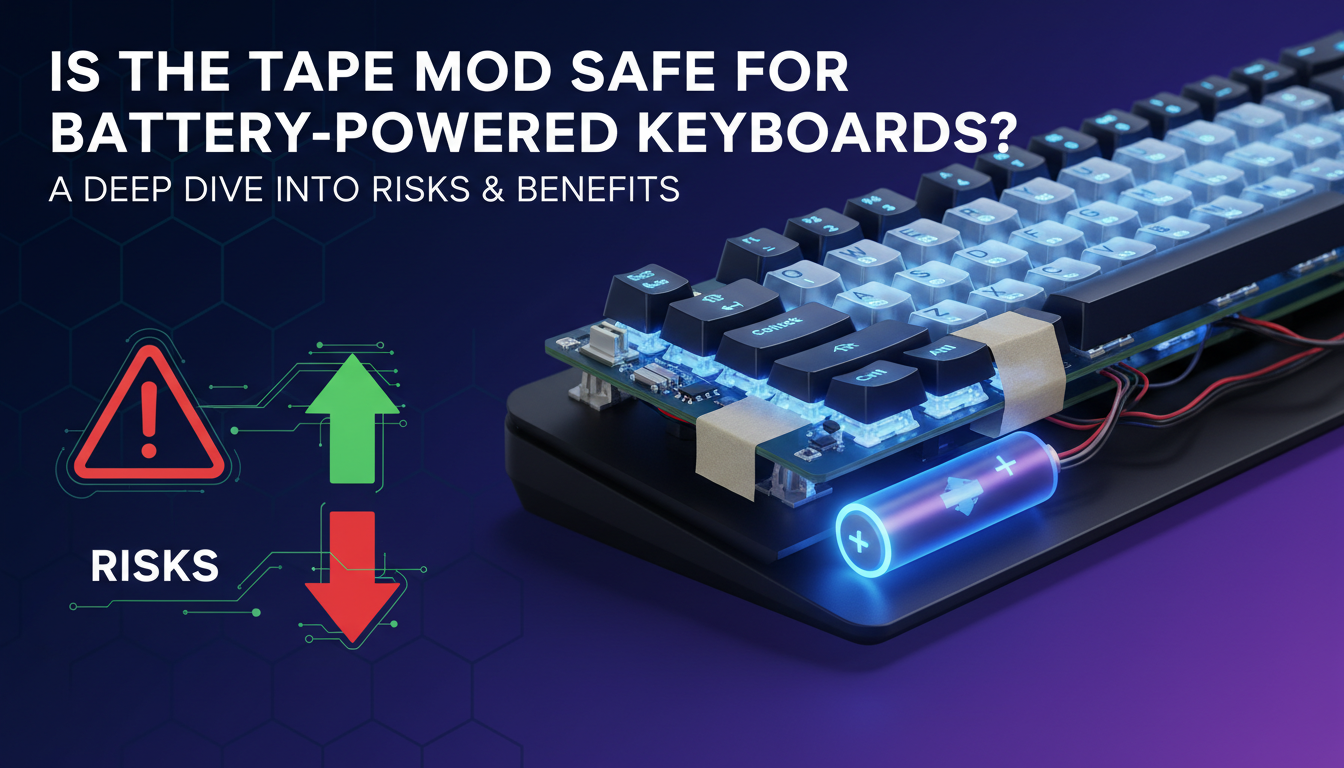
In the relentless pursuit of the perfect “thock,” mechanical keyboard enthusiasts have tried everything from exotic lubricants to custom-poured silicone dampeners. Yet, few modifications have achieved the legendary status of the “Tape Mod” (or Tempest Mod). By simply applying a few layers of painter’s tape to the back of a PCB, users can transform a thin, clacky board into one with a deep, creamy sound signature that rivals far more expensive builds. It is the ultimate low-cost, high-reward hack that has taken the community by storm.
However, this acoustic magic comes with a serious caveat for the growing number of wireless keyboard users: battery safety. Placing layers of adhesive and paper directly over a lithium-ion battery raises immediate red flags regarding heat dissipation and chemical stability. Is the quest for better acoustics worth the potential risk of a thermal event? In this deep dive, we will separate paranoia from prudence, examining the thermal dynamics of battery-powered boards and determining whether you can safely tape your way to audio nirvana—or if you’re just playing with fire.
Introduction: The Quest for ‘Thock’ Meets Wireless Tech
In the world of mechanical keyboards, enthusiasts are constantly chasing the elusive “thock”—that deep, satisfying sound profile that screams quality. Among the countless tweaks available to achieve this, the Tape Mod (also known as the Tempest Mod) has emerged as a fan favorite. By simply applying layers of masking or painter’s tape to the back of the Printed Circuit Board (PCB), modders can filter out high-pitched clacks, resulting in a cleaner, “creamier” acoustic experience.
However, as the hobby shifts toward wireless convenience, a critical safety question arises. While applying tape is generally harmless on a wired connection, wireless boards introduce a volatile variable: Lithium-ion batteries.
Placing layers of potentially insulating or flammable material directly between a heat-generating PCB and a battery raises serious concerns regarding:
- Heat Dissipation: Can the battery and components cool down effectively?
- Fire Risk: Is the tape or its adhesive flammable under stress?
- Conductivity: Could the mod accidentally bridge connections?
In this post, we will navigate the intersection of acoustic perfection and hardware safety, exploring the real risks involved and outlining the best practices to ensure your quest for better sound doesn’t end in a smoke signal.
Understanding the Tape Mod: What It Is and Why It Works
The Tape Mod (also famously known as the Tempest Mod) is arguably the most cost-effective modification in the mechanical keyboard hobby. The process is deceptively simple: it involves applying one or more layers of tape to the underside of your keyboard’s PCB (Printed Circuit Board). But how does a few strips of adhesive change the typing experience so drastically?
Acoustically, the tape functions as a low-pass filter. By sealing the PCB, you alter the way sound waves travel through the keyboard case. The tape absorbs harsh high-pitch frequencies and reflects mid-to-low tones back toward the user. This effectively eliminates “case ping” and hollow echoes, transforming a thin, plastic sound into a signature “thocky”, creamy, or poppy sound profile.
To perform this mod safely and effectively, keep these guidelines in mind:
- Material Selection: Always use Painter’s Tape or generic Masking Tape. These are generally non-conductive and use a low-tack adhesive that won’t damage components or leave sticky residue behind. Avoid electrical or duct tape.
- Layering: The number of layers changes the result. 1 layer provides a subtle muting effect, while 3 layers will significantly deepen the pitch and reduce volume.
Ultimately, the tape mod tightens the acoustic variances between keys, making your board sound more solid and refined for mere pennies.
General Safety Concerns: Heat, Static, and Component Integrity (For All Keyboards)
Before applying the tape mod to any keyboard—whether wired or wireless—it is crucial to understand how covering the Printed Circuit Board (PCB) impacts its operating environment. While this modification is widely considered safe by the enthusiast community, covering electronics involves inherent variables regarding thermal dynamics and physical stress.
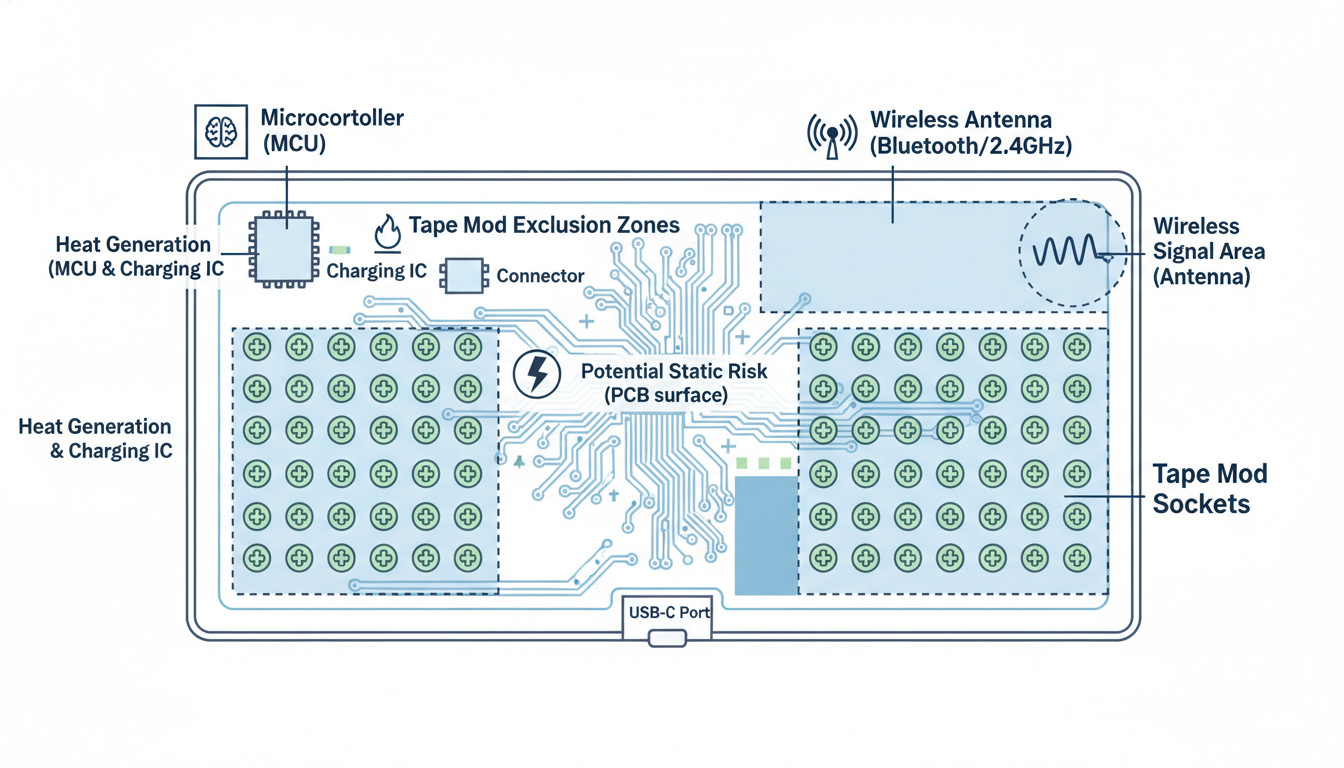
- Heat Dissipation: Electronic components, particularly the Microcontroller Unit (MCU) and RGB LEDs, generate heat during operation. Tape acts as a thermal insulator. While keyboards rarely reach temperatures that trigger immediate failure, smothering the PCB with excessive layers can trap heat, potentially shortening the long-term lifespan of sensitive resistors and diodes.
- Static Electricity: The act of peeling tape can generate a static charge. Although paper-based masking tape is safer than plastic variants, there is a theoretical risk of Electrostatic Discharge (ESD) during application. It is always advisable to ground yourself before handling the bare PCB.
- Physical Integrity: Adding material changes the internal geometry of the case. If the tape layer is too thick, reassembling the keyboard may exert crush pressure on the PCB, leading to unnatural flexing or damaged solder joints.
Ultimately, the risk remains low for most users. As long as you use non-conductive painter’s tape and avoid forcing the case closed, modern keyboard components are sufficiently robust to handle the modification without issue.
Analysis: General Safety Concerns: Heat, Static, and Component Integrity (For All Keyboards)
Specific Risks for Battery-Powered & Wireless Keyboards
Wireless keyboards introduce unique thermal and operational challenges that wired counterparts avoid. The integration of lithium-ion or lithium-polymer batteries requires careful attention to heat management, as these power sources generate thermal energy during both charging and discharging cycles.
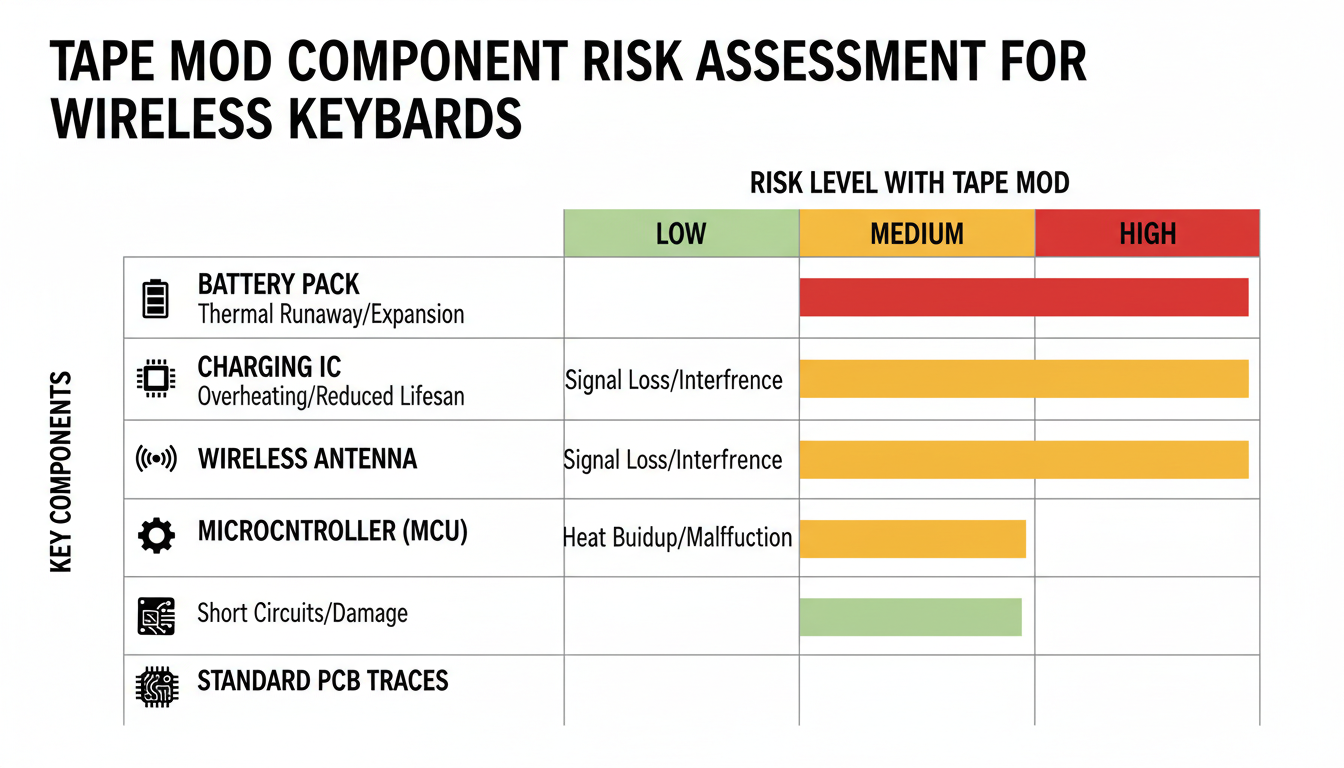
One often-overlooked risk involves the charging circuitry. If you modify your keyboard with dense foam or other insulating materials for sound dampening, you may inadvertently trap heat around the power management circuits. This insulation can lead to:
- Reduced Battery Lifespan: Elevated temperatures degrade battery chemistry, permanently shrinking capacity.
- Swelling and Expansion: Overheated Li-po batteries can expand (“puffing”), potentially crushing internal components or warping the keyboard case.
- Thermal Runaway: In extreme cases, blocking heat dissipation can trigger dangerous chemical reactions.
Furthermore, wireless performance relies on an unobstructed antenna. Covering the antenna area with metallic tape (common in “tape mods”) or thick shielding can drastically reduce range and increase latency. To ensure safety and performance, always leave sufficient clearance around the battery and antenna for natural heat dissipation and signal propagation.
Analysis: Specific Risks for Battery-Powered & Wireless Keyboards
Modding a wireless keyboard carries significantly higher stakes than wired builds due to the internal lithium-ion battery. To prevent short circuits, signal interference, or overheating, strict adherence to safety protocols is non-negotiable.
- Disconnect Power First: Before touching the PCB, carefully unplug the battery connector. Ground yourself to prevent ESD (Electrostatic Discharge) from frying the wireless transmitter or charging circuits.
- Material Selection: Use high-quality, non-conductive Painter’s Tape or Masking Tape. Avoid electrical tape (which leaves messy, conductive residue) or metallic tape.
- Identify Critical Zones: Inspect the back of the PCB. You must cut out sections of the tape to leave the battery connector (JST), charging ICs, and the wireless antenna exposed. Taping over these can cause overheating or connectivity dropouts.
- Less is More: Apply a maximum of 1–2 layers. Too much tape can compress the battery against the case, posing a fire risk. Never apply tape directly to the battery itself.
After reassembly, perform a “touch test” while the unit charges. If the case feels abnormally warm, disassemble it immediately. Regularly inspect the mod to ensure the adhesive hasn’t shifted onto sensitive components.
Alternative Sound Dampening Solutions (When in Doubt)
While the tape mod is popular, valid concerns regarding battery safety and heat entrapment on wireless PCBs exist. Fortunately, you can achieve a premium, deep sound profile without ever applying adhesive directly to the back of your circuit board. These methods focus on physically dampening the case, plate, and switches rather than interacting with sensitive electrical components:
- Case Foam: Filling the hollow space in the bottom of your chassis with Sorbothane, silicone, or Poron foam effectively eliminates hollow reverb. This is widely considered the safest way to mute a board.
- PE Foam Mod: Instead of taping the back, place a thin sheet of anti-static PE foam between the switches and the PCB (on the top face). This delivers the coveted “marbly” or “creamy” sound signature often associated with the tape mod.
- The Force Break Mod: Essential for metal keyboards, this involves placing tiny strips of masking tape near screw holes between the top and bottom case frames to break the resonance loop and stop “case ping.”
- Switch Lubing & Filming: Treating the source of the sound is the most impactful upgrade. Lubing removes scratchiness, while filming tightens housing tolerances to reduce rattle.
- Plate Materials: Swapping a stiff steel plate for Polycarbonate (PC) or POM yields a softer typing feel and a deeper, more muted acoustic profile.
By utilizing these alternatives, you ensure your battery-powered keyboard remains cool and functional while still drastically upgrading the acoustic experience.
Conclusion: Informed Decisions for Your Wireless Keyboard
Modding your keyboard is a journey of personalization, and the Tempest Tape Mod remains one of the most effective ways to achieve that coveted “thocky” sound profile. As we’ve explored, applying this mod to a wireless keyboard is generally safe, provided you approach it with awareness and precision.
To ensure your hardware remains undamaged and your workspace safe, remember these core takeaways:
- Respect the Battery: Never apply tape directly to the battery packet. Leave ample room for heat dissipation to prevent swelling or overheating.
- Material Matters: Always use non-conductive painter’s tape. This simple choice eliminates the risk of shorting out your PCB components.
- Avoid Critical Points: Keep adhesive away from JST connectors, daughterboards, and switch sockets to maintain full functionality.
- Monitor Regularly: After modding, briefly monitor your keyboard during charging to ensure no excess heat is generating.
Ultimately, the decision comes down to your personal risk tolerance versus the desire for acoustic improvement. If you are comfortable navigating the internal components of your board, the sonic upgrade is often worth the effort. However, if battery safety concerns you, there is no shame in sticking to case foam. Trust your judgment, prioritize safety, and enjoy the typing experience you build.
FAQ: Your Tape Mod Safety Questions Answered
Modding your keyboard is exciting, but safety comes first. Below are the answers to the most critical questions about protecting your hardware while chasing that “thocky” sound.
- How many layers of tape are safe? generally, stick to 1–3 layers. Going beyond this can create too much pressure on hot-swap sockets and trap excess heat, potentially warping the PCB.
- What kind of tape should I use? Always use Painter’s Tape or masking tape. These are paper-based, non-conductive, and have low-residue adhesive. Avoid duct tape or electrical tape, as they are messy and can risk electrical shorts.
- Can the tape mod void my warranty? Yes. In almost all cases, opening your keyboard case to apply mods will void the manufacturer’s warranty.
- My keyboard feels warm after the tape mod, is that normal? No. If you notice heat, the tape is acting as an insulator for the battery or chipset. Remove the tape immediately to avoid damaging the battery or causing a fire hazard.
- What if I accidentally tape over a component? Since painter’s tape is non-conductive, covering flat PCB components is usually fine. However, avoid covering screw holes, JST connectors, or RGB diodes.
- Are there any specific battery types I should be more concerned about? Be extra cautious with Lithium-ion batteries found in wireless keyboards. Never apply tape directly to the battery itself—only apply it to the back of the PCB.
Here is the Conclusion and FAQ section for your article, formatted in HTML as requested.
Conclusion: Is the Tape Mod Worth the Risk?
The tape mod remains one of the most cost-effective ways to drastically improve the sound profile of a mechanical keyboard, turning a hollow, plastic-sounding board into one with a deep, satisfying “thock.” However, for battery-powered wireless keyboards, this modification is not without risks.
Key Takeaways:
- Safety First: The primary concern is lithium-ion battery safety. While the risk of fire is statistically low, adding layers of tape can trap heat and insulate the battery. Always inspect your battery for swelling or damage before proceeding.
- Material Matters: Never use conductive tapes (like aluminum or some electrical tapes) directly on the PCB, as they can cause short circuits. Blue painter’s tape or low-residue masking tape are the safest industry standards.
- Strategic Application: For maximum safety, avoid taping directly over the battery itself. If possible, tape only the PCB areas surrounding the battery compartment, or use a non-conductive, heat-resistant barrier like Kapton tape as a base layer.
Ultimately, if you proceed with caution, use the right materials, and monitor your device’s temperature, the tape mod can be a safe and rewarding upgrade for your wireless setup.
Frequently Asked Questions (FAQ)
1. Can the tape mod cause my wireless keyboard to catch fire?
While extremely rare, it is theoretically possible if the tape causes the battery to overheat significantly or if a short circuit occurs due to conductive tape. To mitigate this, never tape over a damaged battery, avoid conductive tapes, and try not to cover the battery directly if the case design allows it.
2. What is the best tape to use for a battery-powered keyboard?
Painter’s tape (specifically blue masking tape) is the best choice. It is paper-based, generally non-conductive, handles mild heat well, and the adhesive is weak enough that it won’t damage PCB components if you decide to remove it later. Avoid duct tape, packing tape, or electrical tape, as they can leave messy residues or cause electrical shorts.
3. Will doing the tape mod void my warranty?
Yes, most likely. Most manufacturers consider opening the chassis of the keyboard to be unauthorized tampering. If your keyboard is expensive or brand new, consider waiting until the warranty period expires before performing internal modifications.
4. Can I put the tape directly on the battery?
It is not recommended. Lithium-ion batteries need to dissipate heat during charging and discharging. Covering them with layers of paper tape acts as an insulator, which could degrade the battery’s lifespan or lead to overheating. Ideally, apply the tape to the back of the PCB and cut out a section where the battery sits.
0 comments