
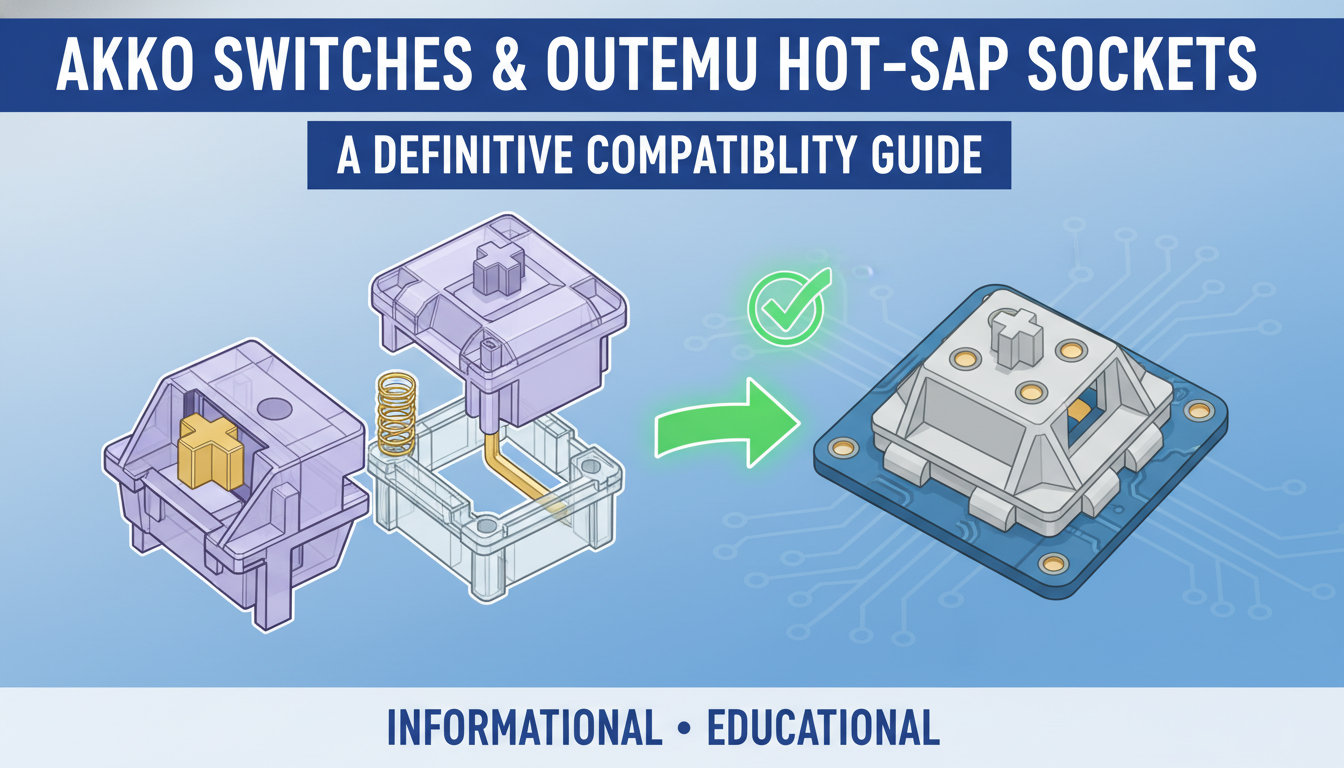
For budget mechanical keyboard enthusiasts, few things are as frustrating as the notorious “Outemu socket” limitation. You’ve likely been there: you bought a fantastic entry-level board, eager to dive into the world of custom typing experiences, only to discover that its hot-swap sockets are too tight for the vast majority of premium switches. For years, this left modders stuck with a limited selection of scratchy, identical-feeling clones. But then came Akko.
Akko switches have stormed the market, offering premium sound signatures and smooth travel at prices that rival the cheapest budget options. Naturally, the community began asking the golden question: “Do Akko switches actually fit my Outemu board?” The answer is a promising, yet nuanced, “Yes, but…” While Akko has largely bridged the gap, differences between their CS, V3, and Pro series—combined with the variance in Outemu socket generations—can still lead to bent pins and broken hearts if you aren’t careful.
In this definitive guide, we will cut through the confusion. We’ll explore exactly which Akko switch lines drop right in, which ones require a bit of persuasion, and the critical specifications you need to check before hitting “buy.” Let’s finally unlock the true potential of your budget keyboard.
Introduction: Navigating the Hot-Swappable Keyboard Landscape
The mechanical keyboard hobby has exploded in recent years, largely driven by the widespread adoption of hot-swappable technology. Gone are the days when changing the feel of your keyboard required a soldering iron and technical expertise. Today, hot-swap PCBs offer enthusiasts unparalleled customization, allowing users to swap switches as easily as keycaps to achieve that perfect auditory and tactile experience.
However, this freedom brings a unique set of challenges. As new enthusiasts dive into the hobby, they often encounter a confusing maze of compatibility issues. Not every switch fits every board, and forcing a mismatch can lead to damaged hardware. Among the entry-level and budget-friendly tiers, one specific question surfaces repeatedly: “Are Akko switches compatible with Outemu hot-swap sockets?”
If you are looking to upgrade your budget board with Akko’s popular lineup, it is crucial to understand the physical constraints of your hardware before purchasing. The objective of this post is to:
- Provide a clear, detailed answer regarding the compatibility between Akko switches and Outemu sockets.
- Explain the underlying technical reasons for the fit (or lack thereof), focusing on pin thickness.
- Guide you in making informed decisions to avoid permanently damaging your PCB.
Understanding Hot-Swap Sockets: The Foundation of Customization
At the heart of modern mechanical keyboard customization lies hot-swap technology. Simply put, a hot-swap socket is a connector pre-soldered onto the keyboard’s PCB that allows you to insert and remove switches instantly—no soldering iron required. This friction-fit mechanism bridges the gap between the switch pins and the circuit board, giving you the freedom to change the look, sound, and feel of your board in minutes.
When shopping, you will often encounter terms like 3-pin and 5-pin. While these refer to the number of legs on the switch (two metal electrical pins plus one or three plastic stability pins), the socket’s job is to grip the metal electrical pins. However, the true compatibility factor lies in the style of the socket itself:
- Cherry MX-Style Sockets: Manufactured by brands like Kailh, Gateron, and TTC, these are the industry standard. They feature wider, rectangular pin receptacles that accommodate the thicker metal pins found on the vast majority of enthusiast switches.
- Outemu-Style Sockets: Often found on budget boards, these utilize narrow, round pin holes. They are significantly more restrictive and generally only accept switches with very thin pins (like Outemu or Akko), making them incompatible with standard Cherry or Gateron switches.
Ultimately, the internal dimensions and shape of the socket’s receptacles are the critical factors. Always check your board’s socket type; trying to force a thick-pinned switch into a narrow Outemu socket will result in bent pins and damaged components.
Anatomy of Akko Switches: Design and Pin Structure
To understand the compatibility constraints often discussed in the hobby, it is essential to examine the physical construction of Akko switches. These switches are engineered to follow the standard Cherry MX-style footprint, ensuring they physically fit into the plates and keycaps of most modern mechanical keyboards.
Structurally, most Akko switches utilize a 5-pin design intended to provide maximum stability on the PCB. This layout consists of:
- A large central circular pole (the main mounting post).
- Two flat metal pins responsible for the electrical contact.
- Two smaller plastic alignment pins located on either side of the central pole.
The critical differentiator lies in the dimensions of the metal electrical pins. Akko designs these pins to be thicker and wider—standard for the industry but significantly more robust than the needle-thin pins found on Outemu switches. While the two extra plastic pins can be easily clipped off to fit a standard 3-pin PCB, this modification does not alter the metal pins. Consequently, even modified Akko switches remain too wide to fit safely into narrow Outemu-style hot-swap sockets without risking damage to the internal contact leaves.
The Specifics of Outemu Hot-Swap Sockets: A Unique Design
When diving into the world of budget mechanical keyboards, you will frequently encounter Outemu hot-swap sockets. Unlike the universal design adopted by industry leaders like Kailh and Gateron, Outemu developed a proprietary socket architecture that is fundamentally different. While they serve the same function—allowing you to change switches without soldering—their physical construction creates a distinct “walled garden” within the hobby.
The defining characteristic of these sockets is their pin reception design. Instead of the wide, flat openings found on standard MX-style sockets, Outemu sockets utilize smaller, narrower, and often circular pin holes. This restricted opening is precisely engineered to grip the thinner metal pins found on Outemu-manufactured switches.
This design choice has two major implications:
- Exclusivity: Standard switches from brands like Cherry, Gateron, or Kailh typically have wider, flatter pins that simply will not fit into Outemu sockets without damaging the metal contact.
- Compatibility Limits: Users are generally restricted to using other Outemu switches or specific sub-brands manufactured by Outemu (such as some Akko CS or Gazzew switches) that share this thinner pin form factor.
While often driven by cost-effectiveness regarding materials and manufacturing for budget-tier boards, this design creates a strict compatibility barrier that every enthusiast must be aware of before purchasing.
The Core Incompatibility: Akko Switches in Outemu Sockets
To answer the central question directly: Akko switches are generally not compatible with standard Outemu hot-swap sockets. While both components utilize the MX-style form factor regarding the stem and housing, a critical mismatch exists where the switch meets the PCB.
The problem lies entirely in the dimensions of the metal contact pins. Outemu sockets are notorious for having extremely narrow, circular receptacles designed exclusively for thin pins. In contrast, Akko switches feature thicker, flatter pins (similar to Cherry or Gateron standards). Because the Akko pin is dimensionally larger than the Outemu opening, they physically cannot fit without altering the metal.
Think of this incompatibility like trying to force a large key into a miniature padlock. The key is simply too thick for the mechanism to accept it. No amount of wiggling will make it fit; you will only damage the key or break the lock.
If you attempt to force an Akko switch into an Outemu socket, the results are almost always destructive:
- Bent or Broken Pins: The soft metal of the switch pins will crumple, fold like an accordion, or snap off completely under the pressure.
- Damaged Socket Receptacles: Forcing the wider pin can permanently stretch the internal metal leaves of the socket, leading to intermittent contact or total signal failure.
- PCB Damage: In severe cases, the downward pressure can dislodge the hot-swap socket from the circuit board entirely.

Analysis: The Core Incompatibility: Akko Switches in Outemu Sockets
Risky ‘Solutions’ and Why They Are Not Recommended
When faced with incompatibility, frustration can often lead to “MacGyver-style” attempts to force a fit. However, we strictly advise against these methods. The structural differences between standard Akko pins and narrow Outemu sockets mean there is no safe or reliable workaround.
- Forcing the Switch: Applying brute force to jam a thicker Akko switch into a narrow Outemu socket will almost certainly result in crushed or bent pins. More alarming is the risk to your keyboard’s infrastructure; excessive pressure can rip the hot-swap socket directly off the PCB, causing irreparable damage that soldering cannot always fix.
- Trimming or Filing Pins: While it is theoretically possible to file down metal pins, it is extremely difficult to do so without compromising the switch. The vibration and physical stress from filing often damage the delicate internal contact leaf. Furthermore, thinned pins become structurally weak and prone to poor electrical contact, leading to frustrating key chatter or complete failure.
- Modifying the Socket: Attempting to physically widen the socket holes is a recipe for disaster. This is highly impractical and is likely to sever PCB traces, potentially rendering the entire keyboard useless.
Ultimately, these risky hacks offer no guarantee of success and a high probability of failure. The risk of permanently destroying expensive components far outweighs the cost of simply purchasing compatible switches.
What ARE Akko Switches Compatible With? (And Alternatives for Outemu Boards)
Akko switches are engineered to be compatible with the vast majority of Cherry MX-style hot-swap sockets. This means they drop seamlessly into keyboards and PCBs using sockets from major brands like Kailh, Gateron, and Glorious, as well as most custom keyboard kits.
Most Akko switches utilize a 5-pin design for added stability. If your keyboard uses 5-pin sockets, they will fit directly. However, if your PCB only supports 3-pin connections, you can easily clip the two extra plastic alignment pins with flush cutters. This modification allows the switches to fit 3-pin sockets perfectly without affecting their performance.
A Note for Outemu Users: Standard Akko switches usually possess metal pins that are too thick for the narrow sleeves found in Outemu hot-swap sockets. If you have an Outemu board, consider these viable alternatives:
- Stick to Outemu: Explore the brand’s expanded catalog, which now includes various weights and specialized types beyond the standard Red, Blue, and Brown options.
- Source Outemu-Fit Switches: Look for third-party switches explicitly marketed as Outemu-compatible. This includes specific versions of Gazzew Boba switches or certain Feker switches designed with thinner metal pins.
- Upgrade Your Keyboard: For maximum freedom, consider upgrading to a board with universal Cherry MX-style hot-swap sockets (often Kailh or Gateron branded) to unlock broad compatibility with Akko and other premium switches.

Analysis: What ARE Akko Switches Compatible With? (And Alternatives for Outemu Boards)
Conclusion: Prioritizing Compatibility for a Seamless Experience
To wrap things up, the definitive verdict is clear: Akko switches are not directly compatible with standard Outemu hot-swap sockets. This incompatibility is not a matter of brand preference but of physical dimensions—Akko’s metal contact pins are simply too wide to fit into the narrower Outemu socket openings without extensive modification.
It is crucial to understand that “forcing” a fit is never the solution. Attempting to jam incompatible switches into your board or manually filing down pins creates significant risks that can ruin your typing experience, including:
- Bent or broken switch pins, rendering the new switch useless.
- Damaged hot-swap sockets that pop loose or lose connectivity.
- Permanent PCB damage, potentially turning your keyboard into a paperweight.
For a stress-free build, always verify your keyboard’s socket type before adding items to your cart. If you currently own a board with Outemu sockets, stick to Outemu-manufactured switches (such as Gazzew or certain KTT models) to ensure a perfect fit. However, if you are eager to explore the vast world of Akko switches, consider upgrading to a keyboard chassis featuring universal Kailh or Gateron hot-swap sockets. Prioritizing compatibility guarantees that your customization journey remains fun, safe, and damage-free.
FAQ: Quick Answers to Common Compatibility Questions
Navigating the world of mechanical keyboard parts can be confusing. Below are concise answers to the most frequently asked questions regarding Akko and Outemu compatibility to help you avoid costly mistakes.
-
Can I force Akko switches into Outemu sockets?
No. Doing so poses a high risk of damage. Most standard Akko switches follow the Cherry MX standard, meaning their metal pins are too thick for the narrow sleeves of an Outemu socket. Forcing them will bend the pins or pop the socket off the PCB. -
What switches are compatible with Outemu hot-swap sockets?
You are primarily limited to Outemu-branded switches. However, specific third-party switches designed with thinner pins—such as Gazzew (Boba U4T) and select KTT switches—are also compatible. Always verify that a switch is “Outemu compatible” before purchasing. -
How can I tell what kind of hot-swap socket my keyboard has?
Start by checking the keyboard specifications on the manufacturer’s website. If that fails, remove a keycap and switch to look for branding (like “Outemu”) stamped on the socket itself, or compare the shape of the pin holes to online reference images. -
Are all 5-pin switches compatible with Outemu sockets?
Generally, no. While you can clip the extra plastic legs off a 5-pin switch, the main issue is the metal contact pins. Most 5-pin switches use thicker Cherry-style pins that physically will not fit inside an Outemu socket.
Conclusion
In summary, Akko switches are widely considered the best drop-in replacement for keyboards equipped with Outemu hot-swap sockets. While standard Cherry MX and Gateron switches often have pins that are too thick for these sockets, Akko has engineered their CS and V3 switch lines with thinner pins specifically to maximize compatibility.
For most users, this means you can upgrade your budget mechanical keyboard without the tedious task of filing down metal pins. However, it is always recommended to check your specific PCB for 3-pin vs. 5-pin support and to install switches carefully to avoid bending pins in tighter sockets.
FAQ
1. Do I need to modify Akko switches to fit Outemu sockets?
Generally, no. Akko CS and Akko V3 switches are designed with thinner metal pins that fit directly into most Outemu hot-swap sockets. However, if you are using a particularly old Redragon or Tecware keyboard, the fit might be tight, requiring you to apply slightly more force or, in rare cases, lightly sand the pins.
2. Can I use Akko switches in Outemu Optical sockets?
No. Outemu Optical sockets use a completely different mechanism based on light sensors rather than physical metal contact pins. Akko mechanical switches are not compatible with any optical PCB.
3. What if my keyboard only supports 3-pin switches?
Many Akko switches come in a 5-pin configuration (the two extra pins are plastic stability legs). If your Outemu keyboard PCB only has holes for 3 pins, you can simply use flush cutters or nail clippers to snip off the two extra plastic legs. This does not damage the switch or affect its performance.
4. Are Akko switches compatible with all Outemu keyboards?
They are compatible with the vast majority of mechanical Outemu keyboards, including popular models from Redragon, E-Yooso, and Tecware. As mentioned, the only exceptions are optical keyboards and extremely old production batches where tolerances were tighter.
0 comments